How to Configure Redirects (Rewrite Rules) in OpenLiteSpeed
Since Google AdSense did not allow direct registration of a subdomain (donguri3.net), I needed to redirect traffic from donguri3.net to donguri3.net in order to pass the Google AdSense review. Therefore, I decided to handle this by setting up a redirect from the root domain.
Environment
- Web Server: OpenLiteSpeed
- Container:
ols-docker-env - Configuration Location: The
rewritetab underdockerinVHost Templates
Configuration Steps
Adding Rewrite Rules
Access the OpenLiteSpeed administration screen and follow the steps below to configure the settings.
- Open
Virtual Hosts→VHost Templates→docker
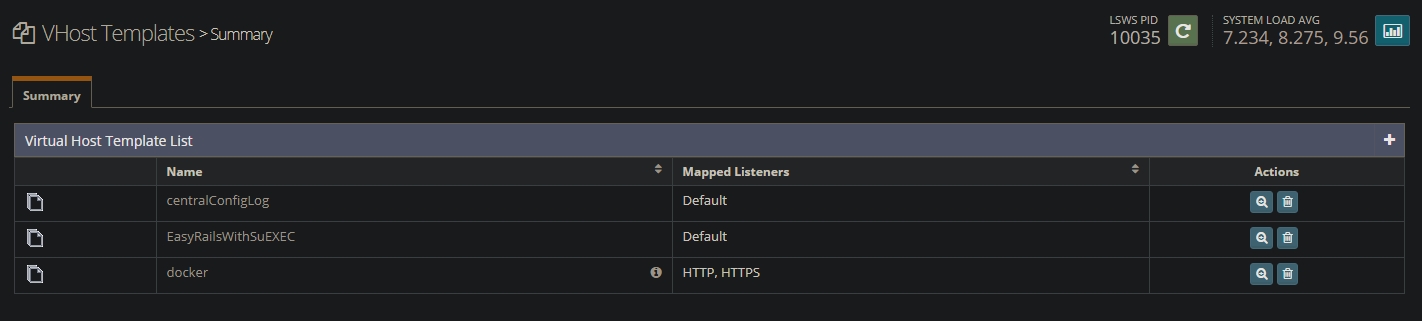
- Select the
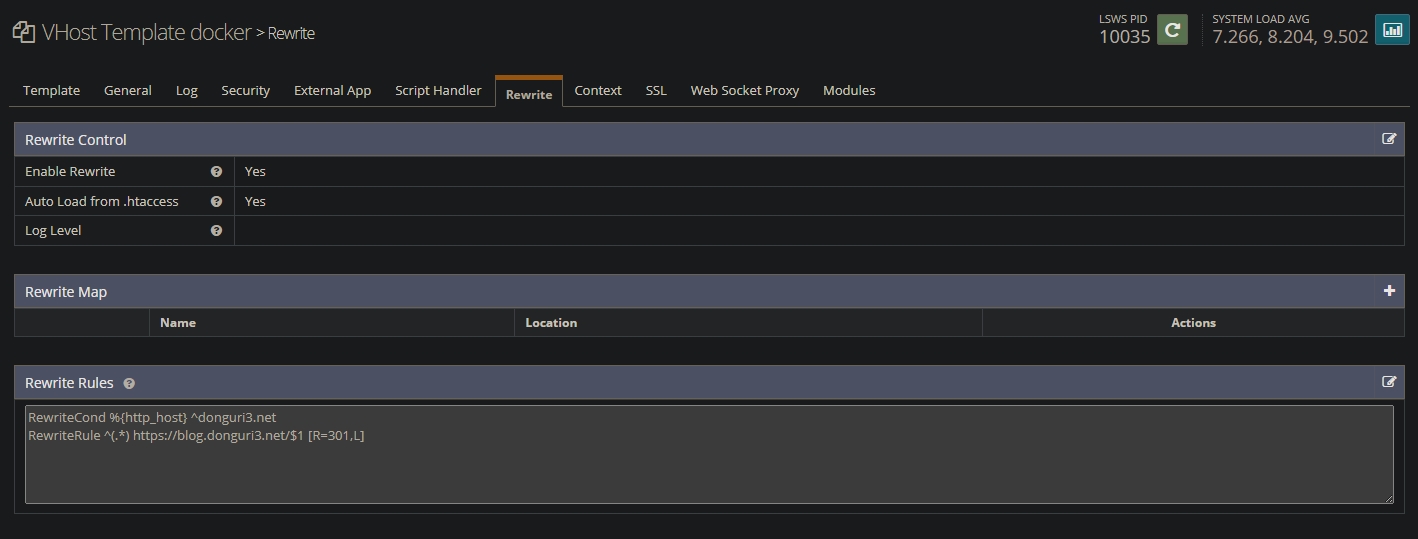
Rewritetab - Set
Enable RewritetoYes - Enter the following content in
Rewrite Rules
RewriteCond %{http_host} ^donguri3.net
RewriteRule ^(.*) https://donguri3.net/$1 [R=301,L]
- Click
Saveto apply the settings - Perform a
Graceful Restart
Verifying the Configuration
To verify that the settings have been applied correctly, access http://donguri3.net in your browser and confirm that it redirects to https://donguri3.net.
You can also run the following command to check if the redirect is working properly.
curl -I http://donguri3.netIf the response includes 301 Moved Permanently, the configuration is successful.
HTTP/1.1 301 Moved Permanently
Location: https://donguri3.net/
Conclusion
With this configuration, I was able to successfully redirect traffic from donguri3.net to donguri3.net. Setting up proper redirects is essential for passing the Google AdSense review. OpenLiteSpeed makes it easy to configure redirects by utilizing Rewrite Rules, so if you are facing a similar issue, give it a try.