What Does “Publish” Mean in n8n?
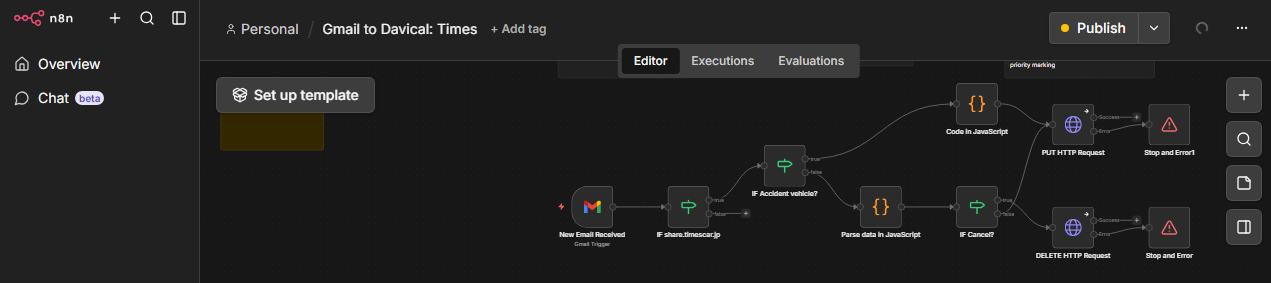
With the update to version 2.0, the UI of the workflow automation tool “n8n" has been significantly revamped. Among the changes, I found the operational design for enabling created workflows to be particularly major. The simple toggle switch located in the upper right corner of the screen, which previously switched between “Active/Inactive," has been abolished and replaced with a new “Publish" button. In this article, I will explain this “Publish" button from a user’s perspective.
When first encountering the term “Publish," new users, including myself, tend to feel a sense of doubt and anxiety: “Will the important automation flow I’ve built, which contains confidential information, be widely and publicly exposed to the internet?" I will unpack the actual findings regarding the original role and specifications of this button.
Building a Secure Automation Environment
The purpose of this article is to properly understand the design philosophy behind n8n’s new “Save & Publish" specification and to establish operational methods for safe and robust automation workflows. By systematically grasping the revamped deployment mechanism, our goal is to reach a state where you can safely expand and maintain features in a self-hosted environment or personal development without stopping running systems.
The “Publish" Terminology That Confuses New Users
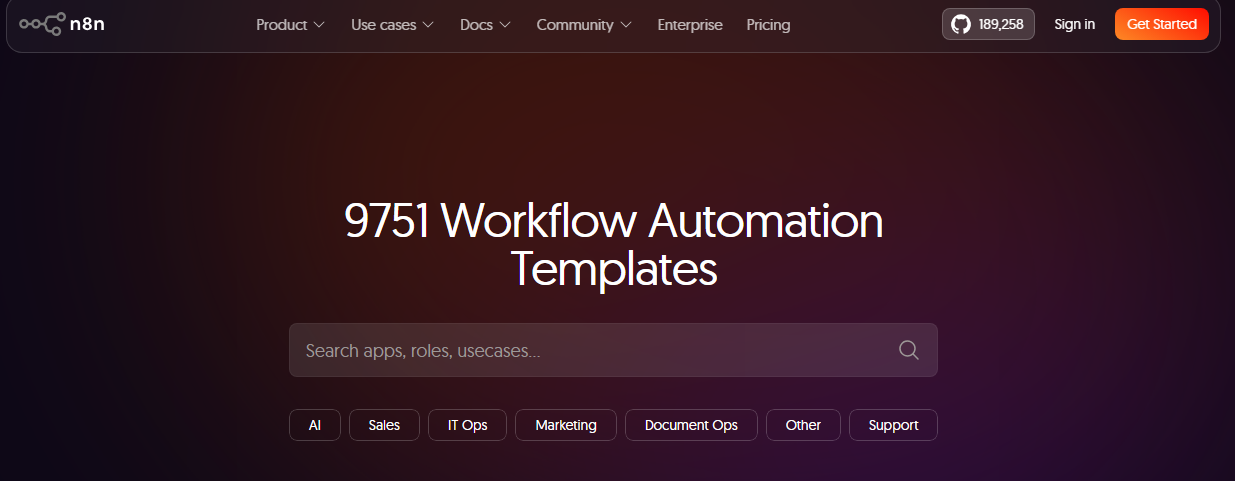
For users who started using n8n from version 2.0 onwards, the “Publish" button is a major source of confusion. While long-time users intuitively understand that this is a replacement for the traditional “Active" switch, it lacks transparency for new users regarding “just how much is being made public." Especially in an open-source software (OSS) context, “Publish" easily evokes the process of generally sharing flows to external libraries such as the official template site, creating a strong psychological barrier for developers handling confidential information.
A conventional technical challenge was that if you edited a workflow while it was in an active state, those changes were immediately saved and reflected in the production execution environment. This constantly carried the risk that Webhooks or scheduled triggers would fire while work was still incomplete and in progress, causing unexpected errors and data corruption in the production environment.
The “Save & Publish" Mechanism Separating Development and Operations
To resolve these technical and psychological challenges, the “Save & Publish" design philosophy was introduced to logically separate the development and production environments.
Accident Prevention via Auto-Saving Draft States
In the latest n8n, when you edit a workflow, the changes are automatically saved to the internal database as a “Draft" within 1 to 5 seconds. At this stage, it has zero impact on active production triggers or behaviors. You can safely trial and error unfinished flows without the risk of breaking your production environment. Details are explained in the official release announcement (Introducing n8n 2.0).
Locking Production Versions (UUID Lock)
By pressing the “Publish" button, the draft at that moment is finally fixed (locked) as a production version with a unique version ID (UUID format). In actual automated processing, this published finalized version is always called and executed, so no matter how you edit the draft afterwards, your production behavior will not spontaneously change unless you Publish again. Also, at this timing, triggers such as Webhooks switch from test URLs to always-listening production URLs.
Clear Separation from External Sharing Sites
“Publish" as executed here is not a process to make flows public to an unspecified number of people on the internet. It merely refers to a local deployment process within your self-managed n8n server to transition a workflow to a “production-running state."
If you want to share or contribute a flow to the official template site, you must manually export the JSON data excluding credentials and go through a separate application procedure via the website. Therefore, there is zero concern about data being sent externally through a single button click.
Conclusion
Previously, n8n had the issue where edits were immediately reflected in production, leading to accidents. To address this, n8n 2.0 changed the specification so that activating a workflow is handled via “Publish." However, this change may raise questions for users starting with n8n 2.0 about “how far things are published." Therefore, this article explained that “Publish" is not a public release to the outside, but simply a deployment process within your own environment to enable flows, balancing specification understanding with safe operations. I hope this allows you to develop with peace of mind, free from the fear of information leaks or editing errors. Have a great n8n life.