Replicating the Minecraft: Education “Block Coding x Agent” Experience in Minecraft Java Edition
My child thoroughly enjoyed the learning experience of “Block Coding x Agent" (the educational version’s working-robot-like character) using Minecraft: Education during a programming workshop. I looked into whether we could recreate this at home “almost for free." Since Minecraft: Education requires a license and has a high barrier for individual contracts, we decided to build our own server (Paper) using the Java edition of Minecraft and recreate the “Block Coding x Agent" experience entirely through server-side extensions (plugins).
I have summarized what Paper is and how it differs from other approaches in a past comparison article:
→ Minecraft Server Setup Guide: Building a Paper Server to Learn with Your Child
In this article, based on this Paper (Java edition server) foundation, we outline the approach of connecting Scratch-compatible TurboWarp and MCPQ
(a
Paper
plugin
+
Python
client)
via
a
WebSocket
+
Python
bridge to recreate “Block Coding x Agent" without modifying the client or requiring additional licenses. First, let’s summarize the background that led to this idea.
What is TurboWarp: An Environment That Made Scratch Fast and Extensible
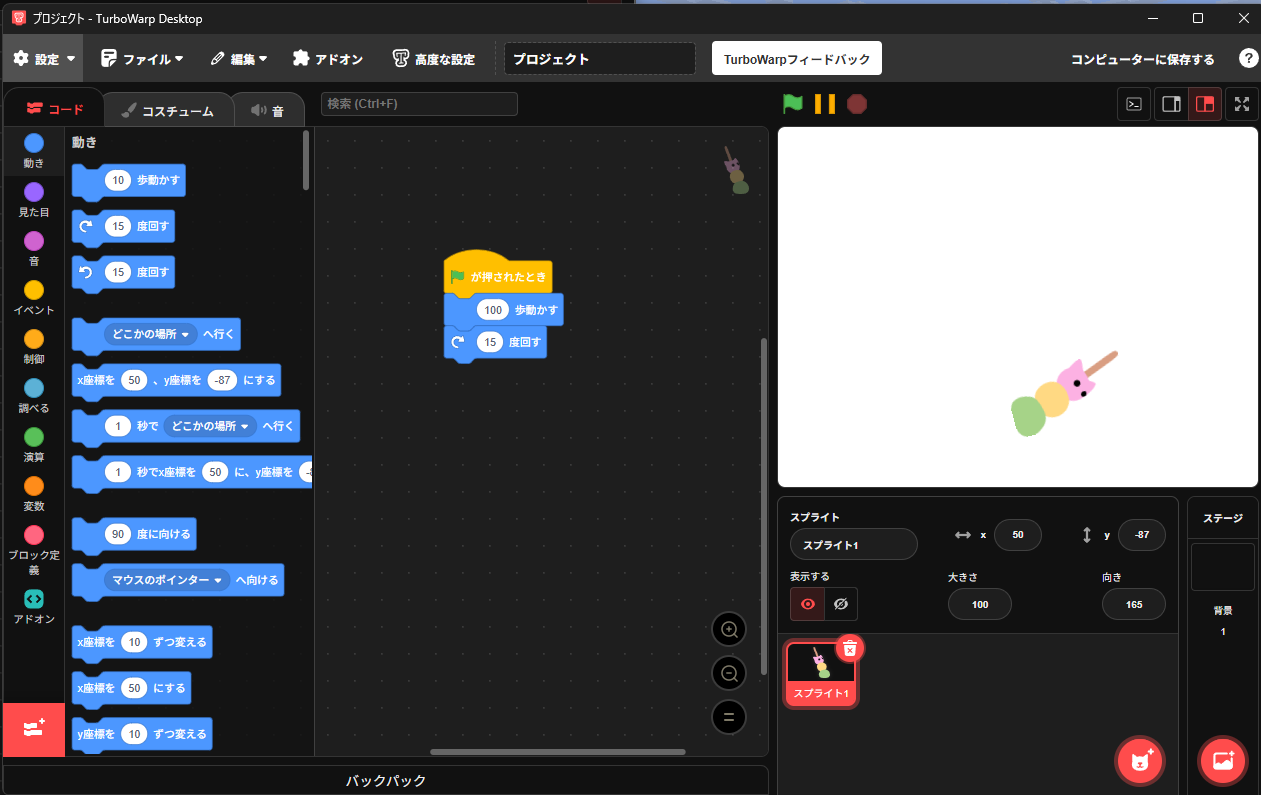
For this project, we are using TurboWarp as our block coding environment.
TurboWarp is an open-source derivative project based on MIT-developed Scratch, featuring the following characteristics:
- Runs in the browser and can be used without installation (we plan to use the TurboWarp Desktop app for this project)
- Can directly load Scratch projects (.sb3)
- Allows free addition of JavaScript-written “extensions" to integrate with external devices and web services
- Faster execution speed than Scratch, making it suitable for experimental use and projects involving external communication
Minecraft: Education Edition’s “MakeCode" is also a block coding environment, but MakeCode is an exclusive educational environment managed by Microsoft and does not connect directly to the Java edition of Minecraft.
Therefore, to integrate with the Java edition Paper server, we needed a block environment capable of communicating independently.
In TurboWarp, you can create JavaScript-based extensions to handle WebSocket or HTTP communication directly.
By utilizing this, we thought we could easily achieve a configuration where “commands are sent from blocks to the Minecraft server."
Why We Call It “Almost Free"
- The main components used (Paper / TurboWarp / MCPQ) are free.
- However, since obtaining the game itself (one-time purchase or subscription) incurs a separate cost, we describe it as “almost" free.
What We Aim to Achieve in This Article
- Implementation cost: 0 yen (no license fees / open configuration only) *A license to play Minecraft is required
- Learning compatibility: Scratch-equivalent operational feel (executing blocks in TurboWarp)
- Experiential value: Agent-like appearance and movement (using a 1-block-high armor stand as a “pseudo-agent")
- Operational simplification: Streamlined into 3 operations (summon / operate / clean up)
Evaluating Candidate Approaches
Let’s compare ways to obtain a “Block Coding x Agent" style experience for home learning.
| # | Plan | Prerequisite/Target | Scratch
|
Compatible UI | Paper
|
Support | Agent Equivalent | Cost | Japanese | |||||||||||||
|---|---|---|---|---|---|---|---|---|---|---|---|---|---|---|---|---|---|---|---|---|---|---|
| 1 | Minecraft Education + MakeCode | Education/
|
Bedrock | ◯
|
MakeCode | × | ◯ | Official Agent | Paid | ◯ | ||||||||||||
| 2 | VisualModder | Java
|
(Spigot/Paper compatible) | △ Blockly |
◯ | — | Free | × | (Current) | |||||||||||||
| 3 | Minecraft Clutch (Miculatch) | Java
|
(Depends on distribution format) | ◯ Scratch-based |
Unknown | — | Books or | via courses | ◯ | |||||||||||||
| 4 | This Configuration: TurboWarp + |
Java
|
(Paper) | ◯ | Scratch compatible | ◯ | ◯ | Pseudo Agent | Free | ◯ |
*Evaluations in the table are based on research and experience at the time of this article. They may improve in future updates.
The Pros and Cons of Each Approach
| # | Plan | Pros | Cons |
|---|---|---|---|
| 1 | Minecraft Education + MakeCode | Official Agent and learning materials are overwhelmingly rich. | Paid for individuals. Cannot be brought into the Java world (Paper). |
| 2 | VisualModder | Free, Java/Paper-based, fast drawing for building structures. | No Japanese UI, not built around Agent-like NPCs/entities. Creating a child’s “walking robot experience" requires some ingenuity. |
| 3 | Minecraft Clutch (Miculatch) | Scratch-based UI, Japanese language support. | Not intended for general distribution (book/course route), few systematic explanations assuming Paper. |
| 4 | This Configuration: TurboWarp + |
Free / Japanese / Scratch compatible. Can create Agent-like expressions (armor stands). Easy horizontal scaling with Paper. |
Final Conclusion
We decided to try Plan #4: TurboWarp + MCPQ + Paper.
TurboWarp (Blocks) → WebSocket → Python
Bridge
→ mcpq-python → MCPQ (Paper)
With this direct wiring, we establish a “Scratch-compatible UI × Java Edition × Free × Agent-like Experience."
The visual “Agent" uses a small armor stand (Small:1b), staged with walking-like pose switching + tiny movements.
Block placement is handled intuitively using setblock ^1 ^ ^ in front of the agent. Block names are easily mapped using a Japanese-to-ID dictionary.
Who Will Benefit (Use Cases)
- Home Learning: School Scratch experience can be directly utilized (TurboWarp). Easy to continue without requiring paid subscriptions.
- Parents/Teachers: Free Minecraft server environment. Because it uses Paper, multi-user environments and plugin integration are easy, and server operation know-how can also be reused.
- Children: Can write “move forward / turn right / place" using blocks and visually track the “walking robot."
Concerns and Countermeasures
Setup hassle:Aiming for deployment with a single docker command.Security:Limit WS/gRPC to localhost.WAN exposure is aNo-Go.- Not a real Agent: Different from Education’s “Agent entity" → Approximate it through appearance and experience (small AS + glowing + sound effects).
- Learning materials: Not as abundant as official materials → Accumulate self-made templates (mazes, bridge building, stamp art, etc.).
Overview of Implementation
IntroduceMCPQtoPaper(underplugins).PythonBridge:Includes a Japanese-to-ID dictionary for the 5 APIs (spawn / move / turn / place / despawn) (e.g., “White Wool"→ white_wool)- TurboWarp:
- Connect to ws://<mcpq bridge server>:8765 using the WebSocket extension
- Select operations via buttons (or dropdowns) and send JSON
- Walking effect:
- Switch armor stand poses between 2 frames → advance by ^0.25 steps each time
Summary
- VisualModder is excellent as a “building block editor," but weak in Japanese support and Agent-like experiences.
- Education has the barrier of being a paid service.
- Conclusion: TurboWarp +
MCPQ +Paper makes it possible to create an “Agent-like" experience for free, in Japanese, and with Scratch compatibility.
Next time, we will release the ready-to-run templates and setup steps.
(Update 2025-11-08) Simplified the Architecture
Initially, the flow was “TurboWarp → (WS) → Python Bridge → (gRPC) → MCPQ Plugin → Paper," but by connecting directly to a WebConsole-based plugin via WebSocket, we were able to omit the intermediate Python/gRPC layer.
As a result, strings sent from TurboWarp are executed immediately as server console commands, making it simpler to implement the pseudo-Agent (small armor stand) summoning, movement, rotation, and placement.
On the other hand, for scenarios requiring high-level APIs like fetching block information or subscribing to events, adopting (or combining) MCPQ as before remains effective. Choose according to your use case.
Note on Security: WebConsole-based setups are powerful. Be sure to configure 127.0.0.1 binding, authentication, and restrictions on the proxy side.