How to Resolve the “Vulnerable Driver” Warning After Upgrading to Windows 11
After upgrading from Windows 10 to Windows 11, you may encounter a warning upon startup stating, “A driver cannot be loaded on this device." Error messages such as AMDRyzenMasterDriver.sys or AsIO.sys appear, indicating that “security settings have detected this as vulnerable and it cannot be loaded," which can become an annoying issue every time you boot up.
This error does not indicate a hardware malfunction; rather, it is caused by Windows 11’s security feature, “Core Isolation (Memory Integrity)," blocking older drivers.
First Appearance: The RyzenMasterDriver.sys Warning
The first error that appeared was for “AMDRyzenMasterDriver.sys".
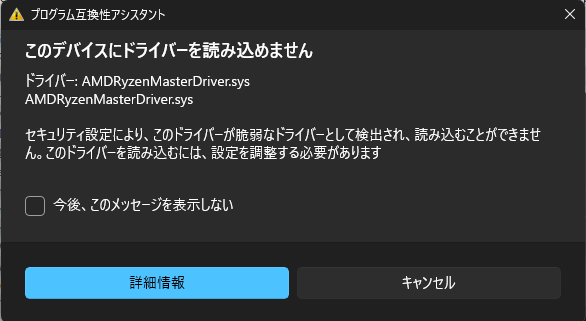
Even though Ryzen Master was never installed, it appears that Windows retained an old driver registration, which failed to load.
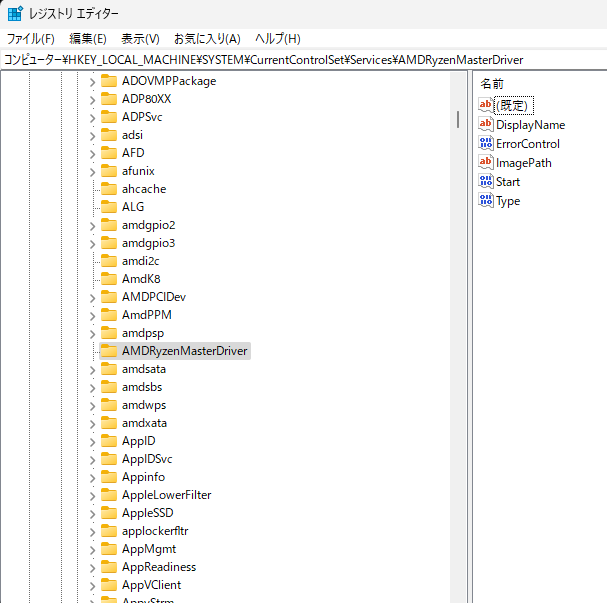
The fix is simple: launch regedit with administrator privileges and delete the following key from the registry.
HKEY_LOCAL_MACHINE\SYSTEM\CurrentControlSet\Services\AMDRyzenMasterDriver
Next Up: The AsIO.sys Error
After resolving the Ryzen Master issue, the AsIO.sys error started appearing instead.
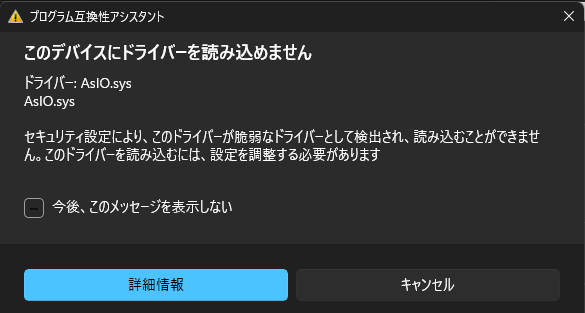
This is a driver used by ASUS motherboard utilities (such as AI Suite 3), and the issue was caused by old references remaining even after updating to the latest version.
C:\Windows\System32\drivers
contains AsIO2.sys / AsIO3.sys, which are actively used by AI Suite. However, an unnecessary AsIO.sys entry remained in the registry, causing the error.
Ultimately, deleting the following key stopped the error from occurring.
HKEY_LOCAL_MACHINE\SYSTEM\CurrentControlSet\Services\AsIO
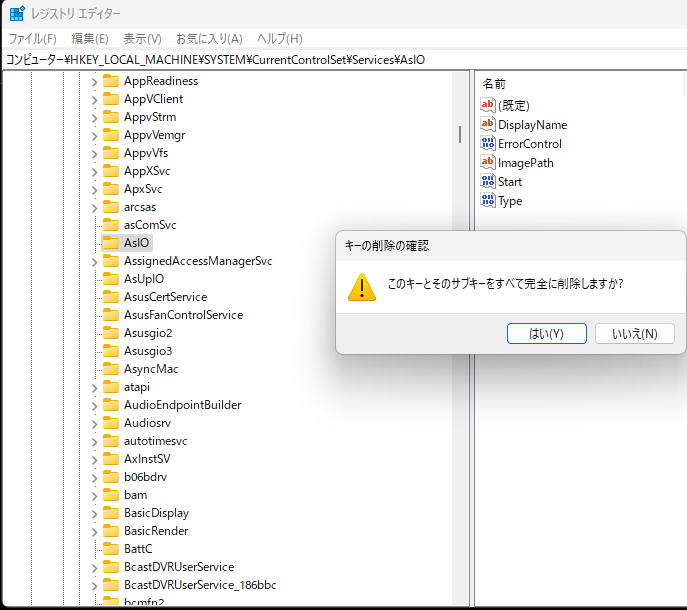
The key point is to leave active drivers like Asusgio2 and Asusgio3 alone, and only delete the unnecessary ones.
What About Case Fan Control?
While AI Suite 3 is convenient, its older drivers can sometimes trigger security features. If your sole objective is “case fan control," you can substitute it with the BIOS Q-Fan Control or a lightweight third-party tool (such as FanControl).
On the other hand, if you want to handle fan control and monitoring centrally within Windows, keeping AI Suite is convenient.
Summary
- In Windows 11, “vulnerable drivers" are blocked, and leftover unnecessary registrations cause errors at startup.
- RyzenMasterDriver.sys → Resolved by deleting unnecessary registry keys
- AsIO.sys → Resolved by deleting old keys (AsIO2 / AsIO3 must be kept)
- However, editing the registry carries the risk of preventing the system from booting if necessary keys are accidentally deleted, so making a backup beforehand is crucial
Encountering errors can be unsettling, but when they are caused by “leftover driver remnants" like in this case, they can often be resolved by cleaning them up properly.