Fixing Corrupted WordPress RSS Feeds: Countermeasures for SyntaxHighlighter Interference
This blog is powered by WordPress using the Luxeritas theme. Everything usually runs smoothly, but one day I was suddenly told that “the RSS feed is broken."
Even though the browser display looked normal, RSS readers and search engines were unable to fetch the articles.
Tracing the cause revealed that code blocks created with the SyntaxHighlighter Evolved plugin, along with extra tags output by the theme and editor, were breaking the feed.
How Far Should You Fix It for Peace of Mind?
- First, make sure W3C Feed Validator displays “This is a valid RSS feed."
- At this stage, you get a bare minimum level of assurance for your RSS.
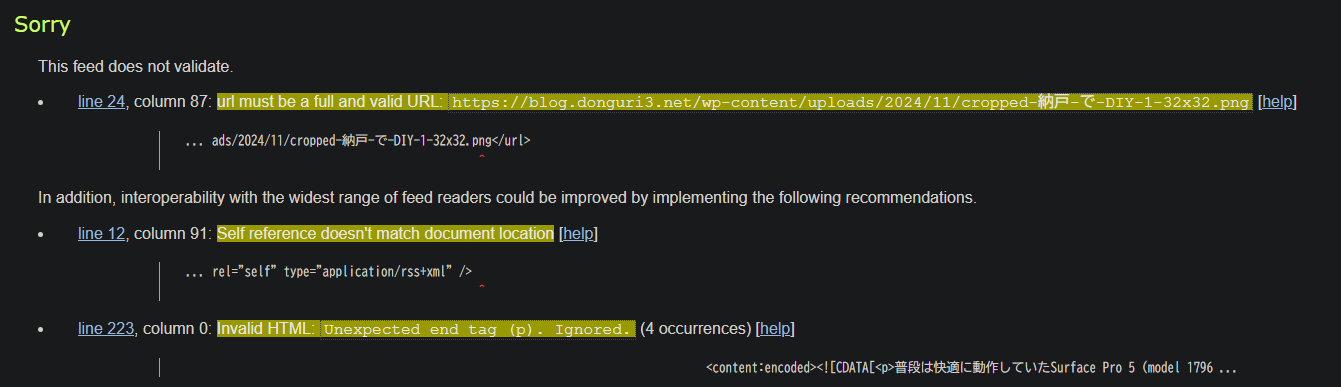
Errors like the following were occurring:
How I Actually Fixed It
Moving Code Blocks Outside of Lists
When placing SyntaxHighlighter Evolved’s inside <ul><li>, extra </p> tags were inserted during RSS generation, breaking the feed.
To resolve this, I moved the code blocks outside of the list items and kept the structure simple.
Cleaning Up Unnecessary Tags
When creating articles with the Luxeritas theme or Block Editor, tags like the following are sometimes automatically generated:
- Nested tags such as
<strong><strong>…</strong></strong> - Empty tags such as
<strong></strong> - Internal Gutenberg attributes like
data-startanddata-end
Leaving these behind resulted in leftover <p> tags during RSS output, leading to parsing errors. I switched to the HTML mode in the post editor and removed these unnecessary tags and attributes.
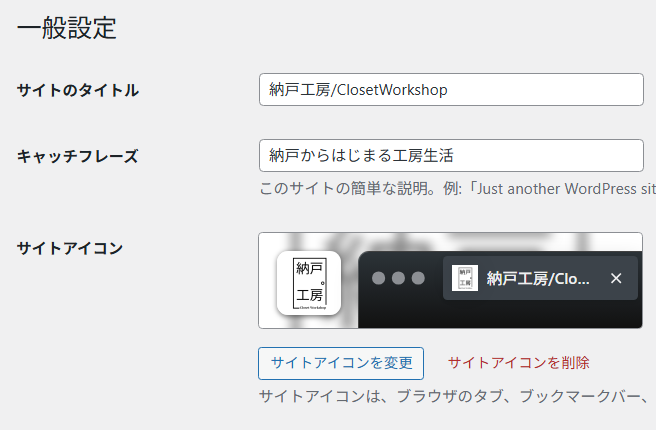
Fixing the Site Icon Filename
As an unexpected pitfall, using an image with a Japanese filename for the site icon was also a contributing factor to the RSS errors.
While WordPress itself could display it, RSS outputs and certain readers could not process the Japanese filename correctly, resulting in an invalid URL.
→ This was resolved by changing it to an alphanumeric filename and re-uploading.
Verifying with a Validator
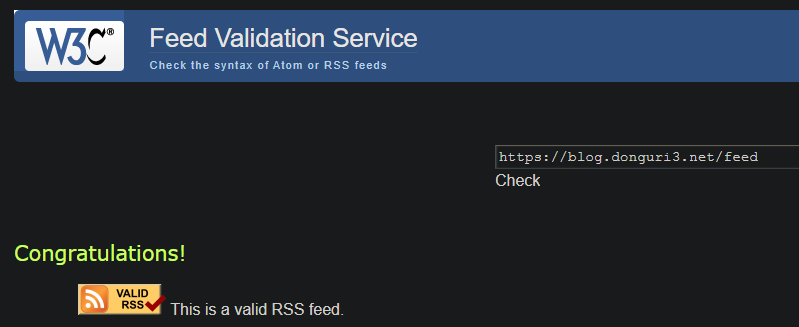
After making the corrections, I ran the W3C Feed Validator again, and it successfully displayed “This is a valid RSS feed," clearing the errors.
Future Steps
- While the RSS Advisory Board Validator marks it as “valid," it still points out numerous extra elements such as
data-startanddecodingattributes. - I want to investigate ways to simplify the output generated by the Luxeritas theme and SyntaxHighlighter Evolved to aim for zero warnings.
- Regularly check with validators to maintain a state where content can be delivered reliably and safely to RSS readers and search engines.
Summary: For Those Struggling with the Same Issue
- With the combination of WordPress + Luxeritas + SyntaxHighlighter Evolved, code blocks and extra tags can sometimes break the RSS feed.
- Moving code outside of lists and cleaning up nested or empty tags can go a long way in making improvements.
- It brings peace of mind to confirm “valid" status with a validator and further strive for better compatibility.