How to Import and Register in Bing Webmaster Tools from Google Search Console
When registering a site in Bing Webmaster Tools (hereinafter Bing WMT), you can easily import it by utilizing Google Search Console (hereinafter GSC). However, if your sitemap is not correctly recognized on the GSC side, issues may occur during the import process. This article introduces the steps involved and how to resolve any issues that may arise.
Registering in Bing Webmaster Tools
- Access Bing Webmaster Tools Go to the official Bing WMT website (https://www.bing.com/webmasters) and click “Sign in" or “Get started".

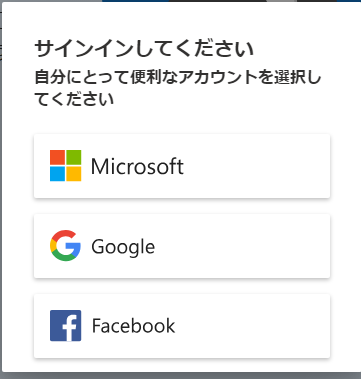
- Log in with your Google Account Log in to Bing WMT using your Google account. This allows you to import your site using your GSC data.

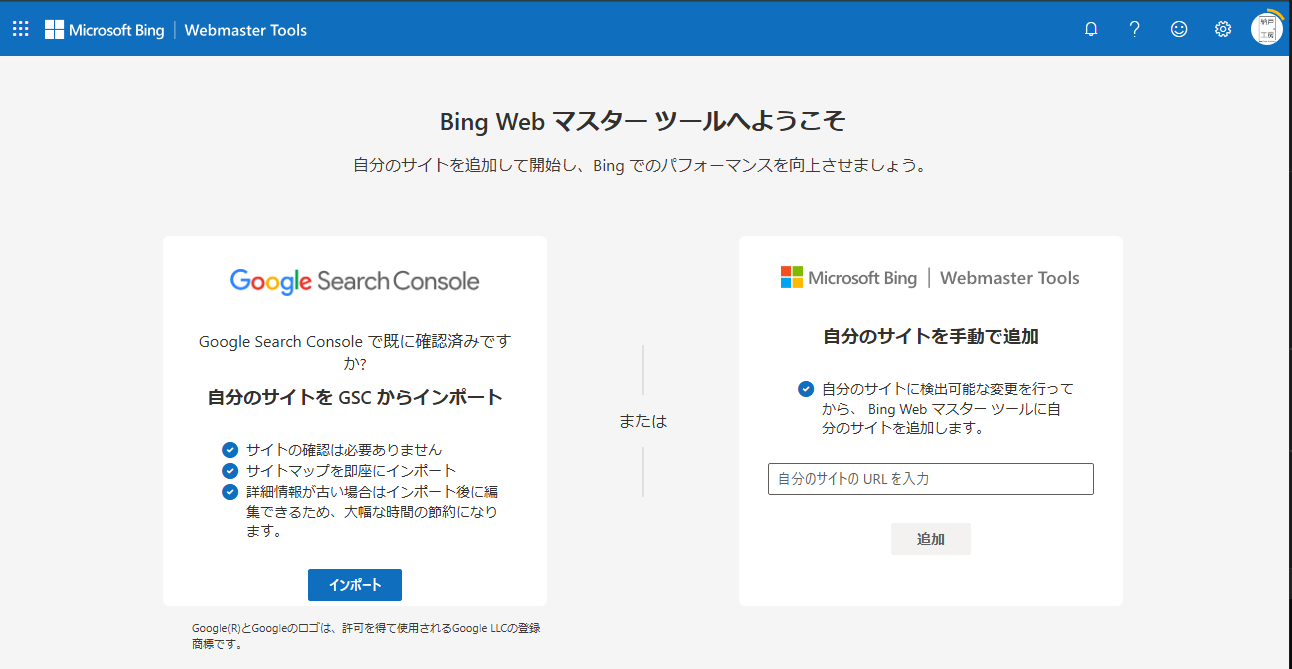
- Import from Google Search Console After logging in, select “Import from Google Search Console" to retrieve the list of sites registered in GSC.


Sitemap Recognition Issues and Solutions
Issue: Sitemap Count Becomes 0 During Import
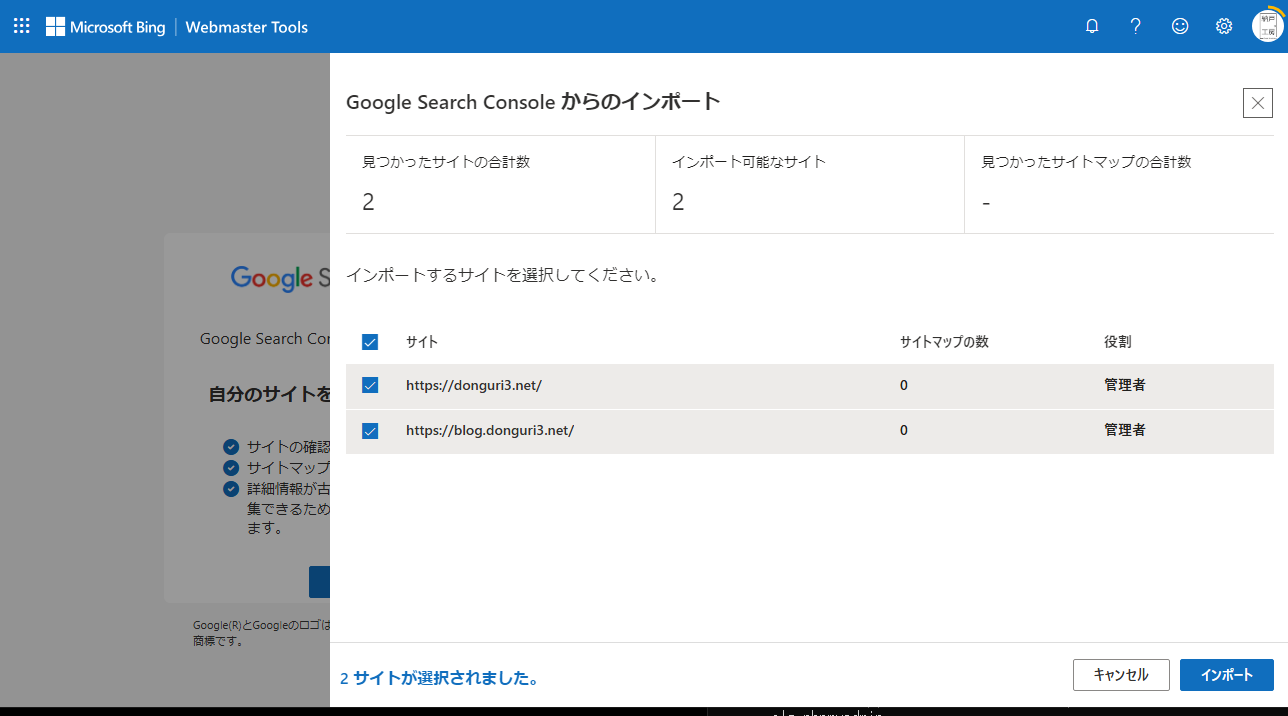
On the Bing WMT import screen, although the GSC information was retrieved successfully, it turned out that the “Number of sitemaps" was 0. This indicates that the sitemap may not be properly recognized on the GSC side.
Solution: Re-register the Sitemap in GSC
- Log in to Google Search Console Log in to GSC (https://search.google.com/search-console) and select the target site.
- Check Sitemap Status Navigate to the “Sitemaps" section and check the status of the currently registered sitemap.
- Re-register the Sitemap
- Delete the existing sitemap once.
- Enter the sitemap URL (e.g.,
https://example.com/sitemap.xml) in “Add a new sitemap" and click “Submit". - Wait a moment and verify that GSC has correctly recognized the sitemap.
Re-importing in Bing Webmaster Tools
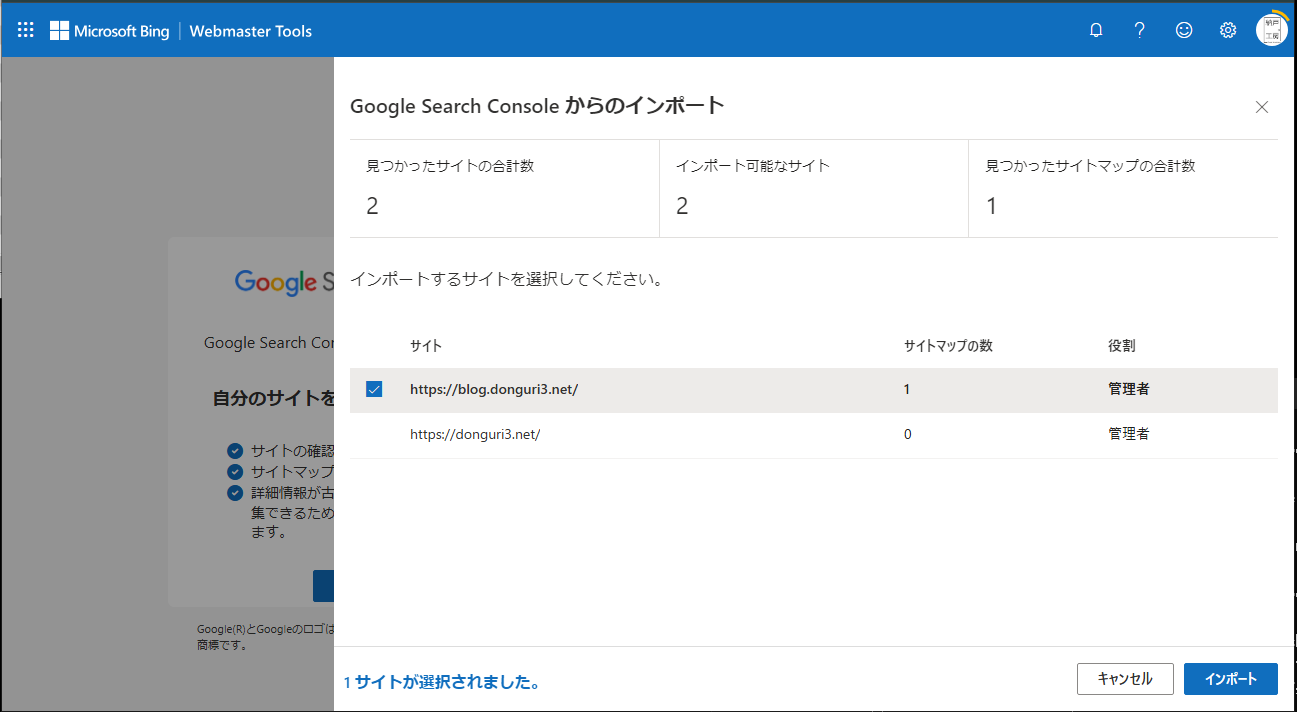
After re-registering the sitemap, return to Bing WMT and execute the import from GSC again. This time, the number of sitemaps should be 1, indicating it has been successfully recognized.
Registration Complete
As shown above, when importing GSC information into Bing WMT, if the sitemap is not properly registered on the GSC side, it may not reflect correctly. If you encounter the same issue, try re-registering your sitemap in GSC and then attempt the import again in Bing WMT.
Your registration with Bing Webmaster Tools is now complete!