Building a Custom Auto-Featured Image Generator After Switching WordPress Themes
The Cocoon theme features a built-in, albeit beta, function that automatically generates featured images based on the article title and settings Cocoon. I personally loved and used this convenient feature for a long time, but one day I discovered that my PageSpeed Insights performance score had plummeted into the 50s. I suspected a plugin and removed it, but saw no improvement; I also reviewed the speed optimization settings within the theme, but nothing changed, leaving me with no choice but to switch themes. Since the new destination lacked an automatic featured image generation feature, I decided to develop my own plugin.
Background: The Cocoon Theme’s Auto-Featured Image Generation Feature
Cocoon’s Beta Feature
Starting with Cocoon 2.8.4, a beta feature was added that automatically generates featured images from the titles of posts and pages Cocoon.
It can be used simply by enabling “Generate featured image from title" under the “Cocoon Settings > Editor" tab in the management screen, which greatly saves the hassle of searching for images.
Real-World Usability
I highly rate this feature because it is extremely useful and makes preparing featured images effortless.
The Problem: Drop in PageSpeed Insights Performance
A Sudden Drop to the 50s
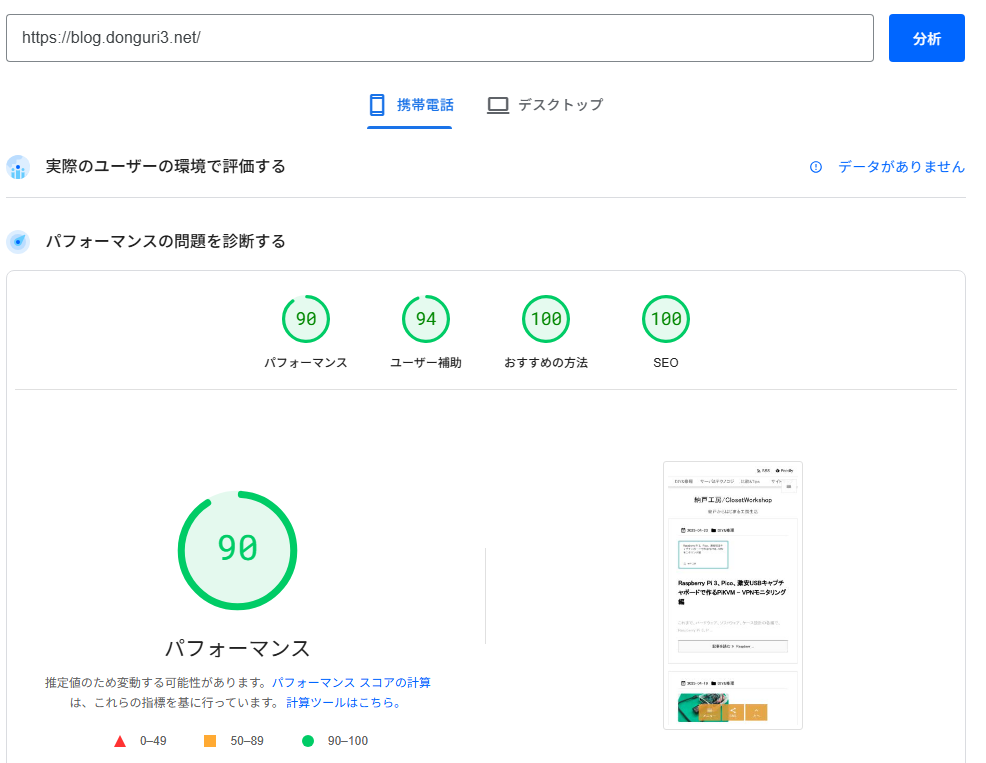
I noticed that my site’s score, which usually maintained around 80 on mobile and 90 on desktop, had suddenly dropped to the 50s on mobile. No major updates had been made, and I struggled through trial and error trying to figure out the cause.
Troubleshooting: Eliminating Plugins and Reviewing Speed Optimization
Plugin Isolation
First, I temporarily deactivated all plugins, but the PageSpeed Insights results did not improve.
Next, I tried introducing plugins for external speed optimizations—such as image lazy loading and next-generation format conversion—but the score continued to hover in the 50s.
Server and Cache Verification
I also reviewed the server environment, CDN, and caching plugins (such as LiteSpeed Cache), but this did not yield any significant improvements either, and I was unable to identify the root cause.
Theme Migration and Missing Features
Judging that recovery of the PageSpeed Insights score was unlikely, I migrated the entire site to another speed-focused theme.
Although the new theme achieved a lighter weight, Cocoon’s automatic featured image generation feature was missing, significantly increasing the burden of manually preparing a featured image every time I created an article.
Plugin Development: The Birth of Simple Featured Image Generator
Motivation for Development
Driven by the desire to “have an automatic featured image generation feature comparable to Cocoon available on any theme," I decided to build my own plugin.
It operates independently of existing themes, works on the Classic Editor, generates a PNG based on the post title, author avatar, and color settings, and automatically sets it as the featured image.
Key Specifications
-
Renders the post title and author avatar onto a canvas
-
Allows font color, background color, and frame color to be configured via a color picker
-
Asynchronous generation and saving via AJAX
For implementation details and installation instructions, please check the GitHub repository.
Since I just whipped this up by trial and error and it’s probably far from refined, I would appreciate any tweaking or contributions.
Conclusion
-
Impressed by Cocoon’s automatic featured image feature, but faced an unexpected drop in PageSpeed Insights score.
-
Tried reviewing theme settings and isolating plugins with no improvement, leading to the decision to switch themes.
-
Because the new theme lacked the same functionality, I custom-built the Simple Featured Image Generator plugin.
Moving forward, this custom plugin aims to enable automatic featured image generation across various theme environments and significantly improve workflow efficiency. Please give it a try.