Troubleshooting iOS Shortcut iCloud Sharing Errors
The other day, I created an “iOS Shortcut" that takes a photo of a flower my child found on the roadside, combines it with location and map data, and turns it into a postcard. The mechanism itself turned out remarkably well, and I wanted to share it with others attempting similar projects—which is how this whole ordeal began.
Sharing iOS Shortcuts
To let a wide variety of people use the shortcut I created, generating an iCloud sharing link provided by Apple is the most efficient method. With a single link, anyone can import the recipe I created into their own device.
Encountering an Error Preventing Creation Despite Being Signed In to iCloud
When performing the sharing operation, I ran into an inexplicable issue. All sync settings within the Shortcuts app were turned “On." Naturally, I was also successfully logged into my Apple ID. Nevertheless, attempting to create a sharing link triggered the error message “To do this, you must sign in to iCloud," and the process was forcefully aborted. An error occurred where the settings screen indicated I was “Signed In," yet the feature itself treated me as “Not Signed In."
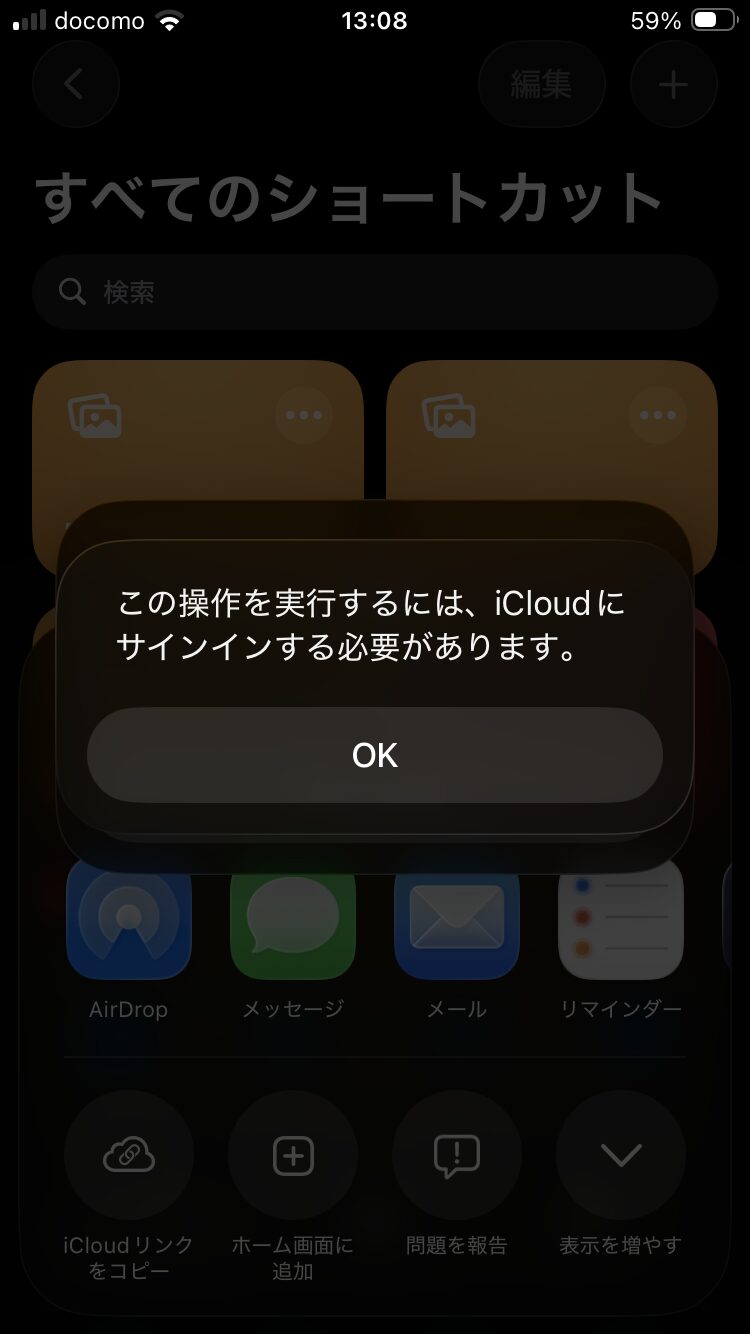
Steps to Verify Shortcut Sharing
To resolve this error, I conducted testing using insights from the technical community (Reddit). In conclusion, the cause was not the sign-in status of iCloud as a whole, but rather an internal stack in the individual sync connection for the Shortcuts app. By following the steps below, it is possible to restore it to a normal state.
Enable App-Specific “iCloud Sync"
Go to Settings > Apps > Shortcuts, and enable “iCloud Sync" within.
Enable Basic iCloud Drive Settings
Go to Settings > iCloud > iCloud Drive and enable “Sync this iPhone."
If this is disabled, shortcut metadata cannot be uploaded to the cloud.
Restart the Shortcut’s Individual Sync Flag
This is the most critical step. Go to Settings > iCloud > and tap “Show All" under the “Saved to iCloud" section. Find “Shortcuts" in the app list and turn its switch off. After waiting a few seconds, turn it back on.
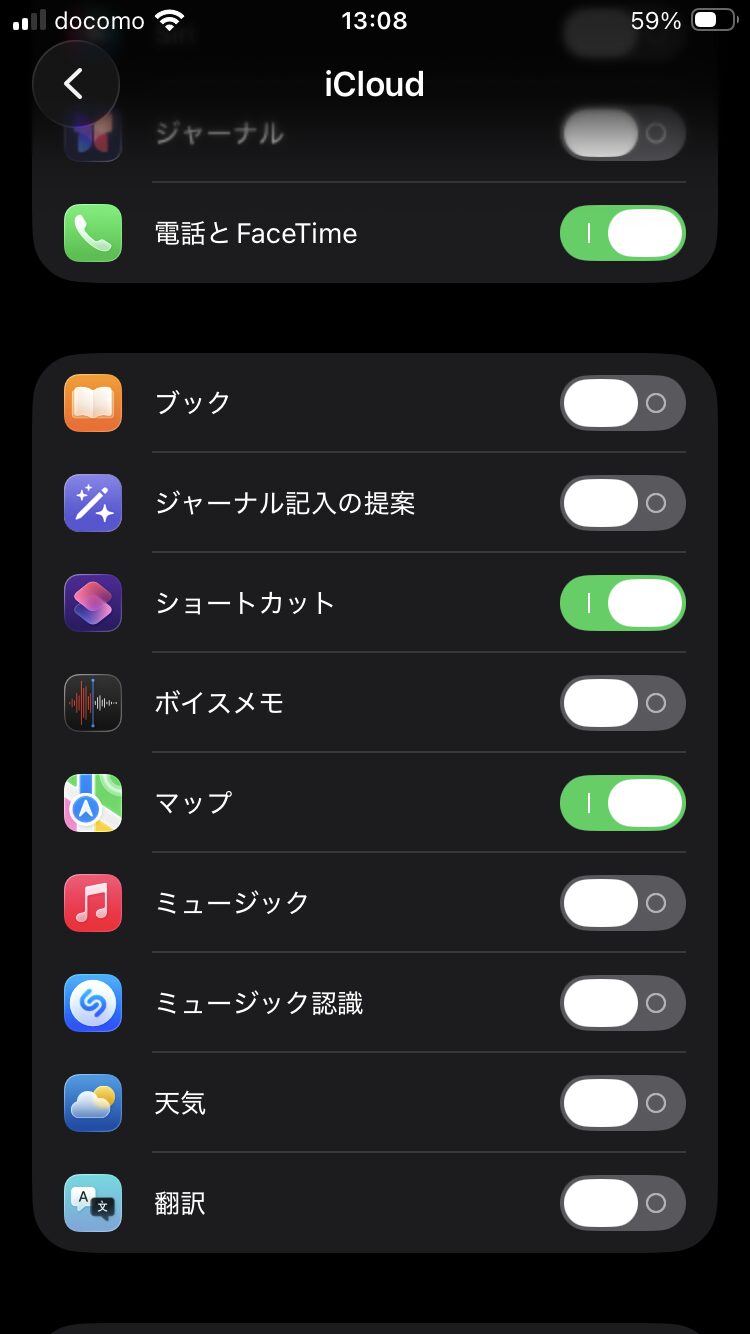
Re-establishing the Authentication Session
Toggling the switch seems to reissue the authentication token between the Shortcuts app and the iCloud servers. In my environment, performing this action along with restarting the iPhone made it possible to generate sharing links.
Summary
Standing in the way of my goal to distribute a custom shortcut on my blog was a system inconsistency where authentication was repeatedly requested despite already being signed in to iCloud. To address this issue, I implemented solutions such as re-enabling a disabled iCloud Drive, reviewing app-specific sync settings, and toggling the internal iCloud sync switch from “Off to On," successfully allowing me to generate sharing links.