Leveraging IndexNow in WordPress: Plugin Setup and Procedure for Creating and Placing Text Files Containing the API Key
IndexNow is a mechanism that allows you to instantly notify Bing and other compatible search engines of new content creations or updates on your site. If site registration and ownership verification are already complete in Bing Webmaster Tools, you can use the “IndexNow Plugin" in WordPress to automatically send notifications (pings) whenever posts are published or updated. Furthermore, by using the Option 1 method, you can create and place a text file containing the API key (<API_KEY>.txt), allowing search engines to verify site ownership. This article provides a detailed explanation of both setup methods.
How to Use the IndexNow Plugin in WordPress
Installing and Activating the Plugin
-
Log in to the Dashboard
Log in to your WordPress dashboard and click on “Plugins" > “Add New" in the left-hand menu. -
Search for the IndexNow Plugin
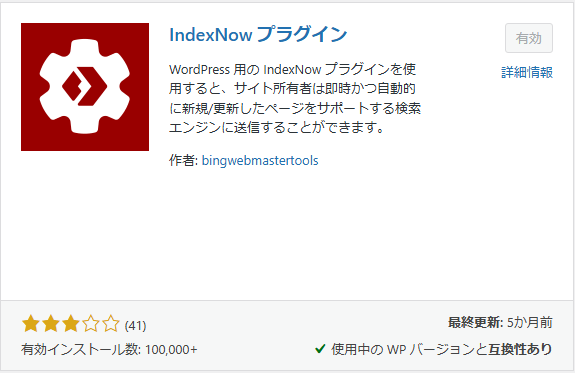
Type “IndexNow Plugin" into the search bar, and click “Install Now" on the displayed plugin.

-
Activate the Plugin
After installation, click the “Activate" button to enable the plugin.
Performing Initial Setup
-
Navigate to the Settings Screen
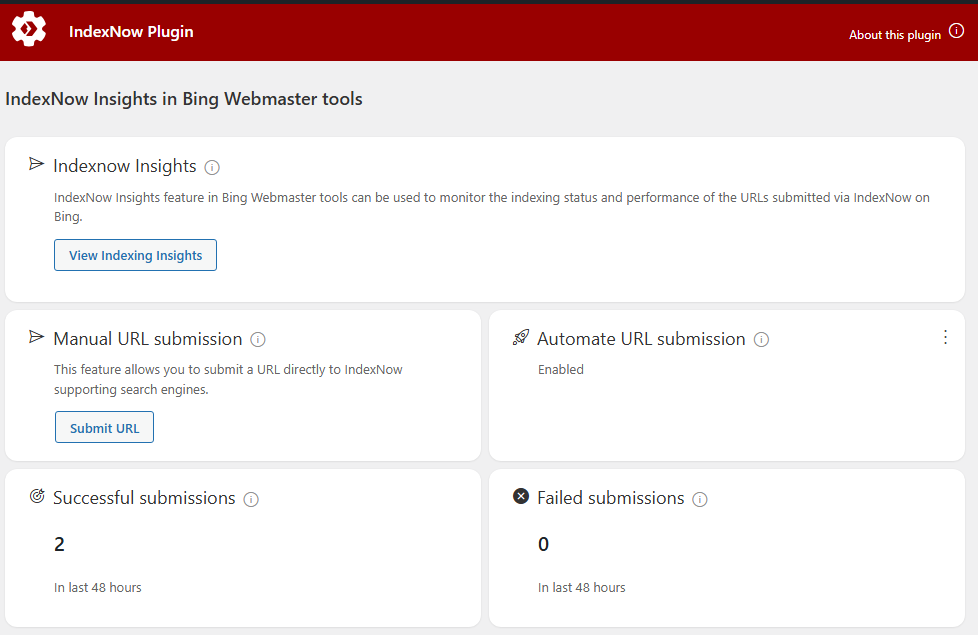
Once the plugin is activated, “IndexNow" will be added to the dashboard sidebar. Click on it.

-
Click “View Indexing Insights"
Clicking the “View Indexing Insights" button on the settings screen will take you to the IndexNow page in Bing Webmaster Tools.

-
Click “Get Started"
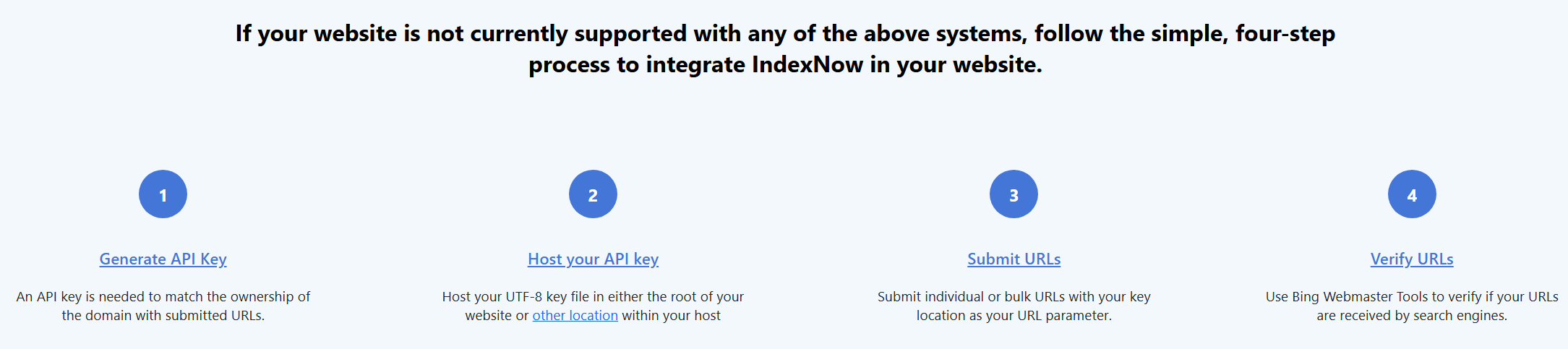
Click the “Get Started" button to navigate to the Implementation section at the bottom of the page. Follow the steps described here to set up your API key.


How to Create and Place the API Key File Using Option 1
Here, we will explain the method using Option 1.
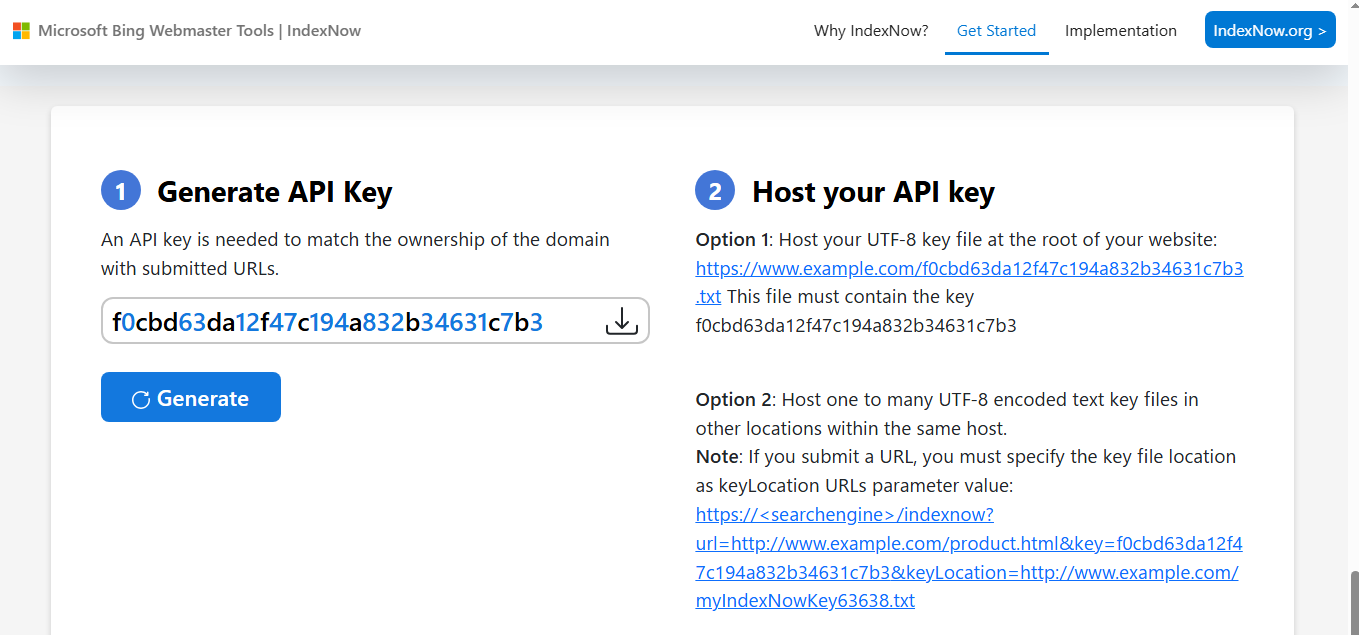
When implementing IndexNow customly, the Option 1 method involves creating and placing a text file containing the API key according to the following steps.
-
Obtaining the API Key and Creating the File
Check the generated API key.-
Create a UTF-8 encoded text file and enter only the API key as its content.
-
Name the file, for example, “<API Key>.txt".
-
-
Uploading to the Server
Upload the created text file to the root directory of your website (or the designated location).
*After uploading, please verify that you can access it via a URL such as https://www.yourdomain.com/<API Key>.txt.
Operation and Verification
-
Automated Submission Operation
By combining automatic submission via the IndexNow Plugin with the placement of the API key file via Option 1, updates to your WordPress site are quickly notified to search engines like Bing. - Manual Submission Operation
It is a good idea to test it using manual submission first. Click the “Submit URL" button under “Manual URL submission" in the IndexNow Plugin, enter the URL of any page, and submit it.
-
Verification in Bing Webmaster Tools
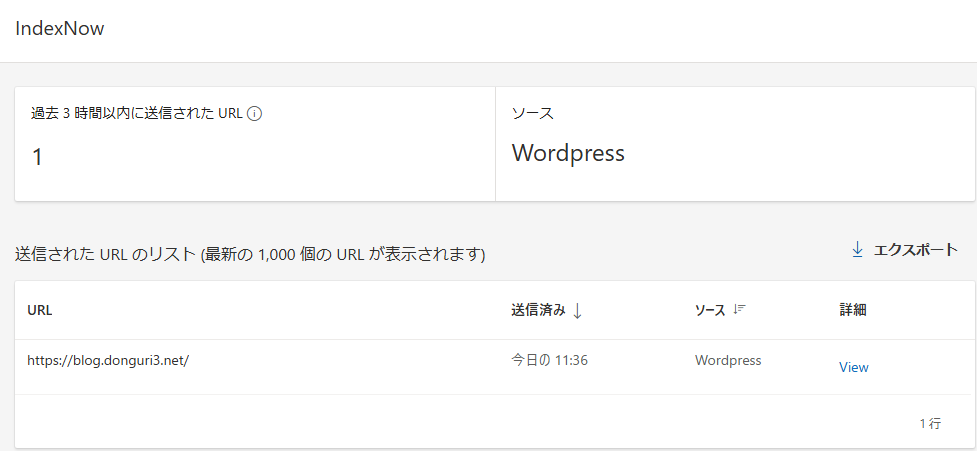
Regularly check submission and indexing status using the IndexNow-related menu or sitemap submission feature in Bing Webmaster Tools. Once submitted, it will appear in the list of submitted URLs as shown below.

Conclusion
To leverage IndexNow on a WordPress site, you can install and perform the initial setup of the IndexNow Plugin to automatically send notifications whenever articles are published or updated. Additionally, by creating a text file containing the API key via the Option 1 method and placing it on your server, search engine ownership verification can be carried out smoothly. These configurations ensure that the latest site information is instantly reflected in search engines, leading to faster indexing and improved SEO performance.
Please follow these steps to help improve the performance of your WordPress site.