[WordPress] Creating a Sidebar Display Toggle Plugin for Luxeritas
The WordPress theme “Luxeritas" is an exceptional theme that operates with incredible lightweight speed. However, when operating under the standard 2-column layout (such as a main area width of 866px), publishing relatively long source code blocks, large charts/diagrams, images, or screenshots in technical articles can sometimes make the horizontal width feel cramped.
When readers try to grasp the overview of code or check the fine details of images, encountering horizontal scrolling or a compressed screen can contribute to a decrease in content readability and viewing experience.
Building an Environment to Expand the Main Display Area to 100% with a Single Tap
To solve this issue, we will build an environment where page visitors can freely toggle the sidebar’s visibility at their own convenience.
Our goal is to create a mechanism where a subtle, semi-transparent toggle button is fixed at the bottom right of the screen, allowing users to hide the sidebar with a single tap and expand the main area (#main) to 100% of the screen width. The objective is to provide a responsive and smooth interface that can be toggled at any time regardless of the scroll position, without getting in the way of browsing.
Bloating of functions.php and Complicated Code Descriptions
Initially, layout-changing features like this are often tested by writing them directly into the child theme’s functions.php or style.css. However, the approach of directly adding code to a child theme comes with several problems:
- Complicated Management: Theme customization code and feature extension code get mixed together, making code maintenance and troubleshooting difficult when looking back later.
- Unnecessary Theming Burden: Creating a dedicated original theme from scratch just for this level of layout-changing functionality is over-spec’d and not worth the production and management costs.
- Dealing with Theme-Specific Specifications: In Luxeritas, fixed Flexbox styles are applied to the #main element, and the theme’s standard JavaScript (luxe.min.js) has specifications to scan and parse specific DOM elements. Writing in the wrong place can cause JavaScript errors such as null.split or lead to broken styles.
Installation Procedure for the Dedicated Plugin “Luxeritas Sidebar Toggle"
To resolve these issues, we packaged the functionality into a single, independent plugin called “Luxeritas Sidebar Toggle." By separating it as a plugin, you can manage the functionality without modifying any child theme files.
This plugin is available as open-source on GitHub, and you can use it immediately just by downloading the built ZIP file and activating it.
[Installation Procedure]
- Releases Page: https://github.com/nando256/luxeritas-sidebar-toggle/releases
- Repository: https://github.com/nando256/luxeritas-sidebar-toggle
- Download the latest ZIP file (luxeritas-sidebar-toggle.zip) from the GitHub repository or Releases page.
- Log in to your WordPress dashboard and open “Plugins" > “Add New Plugin."
- Click “Upload Plugin" at the top of the screen, select the downloaded ZIP file, and click “Install Now."
- Once the installation is complete, click “Activate Plugin."
The internal structure of the plugin is organized as follows, designed to safely load scripts and styles only when Luxeritas (the parent theme) is activated.
luxeritas-sidebar-toggle/
├── luxeritas-sidebar-toggle.php # Main plugin file (parent theme check, footer loading)
├── style.css # Styles for 100% main width and bottom-right fixed button
└── sidebar-toggle.js # DOM generation, open/close state management (localStorage), resize event triggering
The JavaScript avoids directly interfering with the page’s HTML structure and dynamically generates the button safely under <div id="wp-footer">. This prevents script errors in Luxeritas itself while achieving stable operation.
Completion of a Clean, Independent Viewing Environment Resistant to Theme Updates
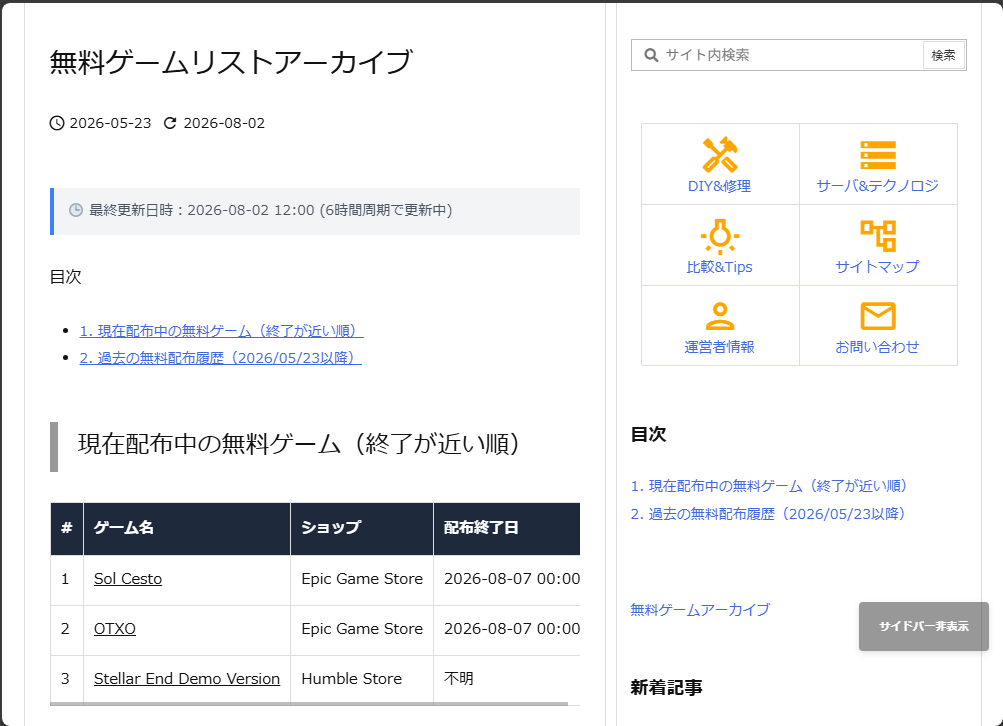
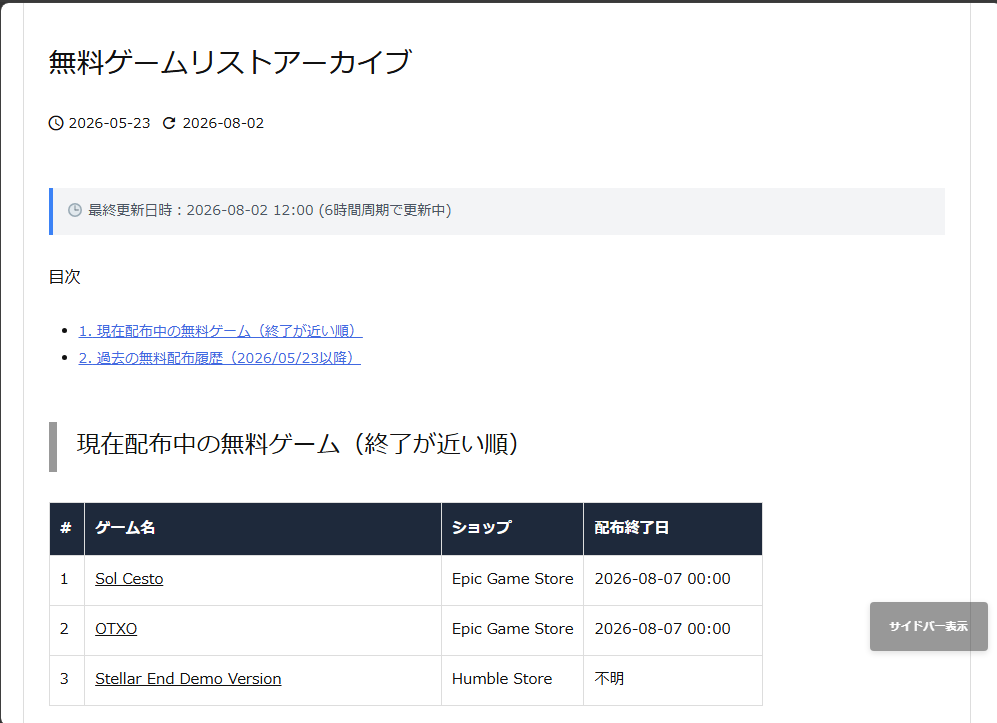
Once you activate the plugin, a semi-transparent “Hide Sidebar" button will appear just above the PAGE TOP button at the bottom right of the screen.
Simply clicking the button hides the sidebar while simultaneously expanding the main area to 100%, making it comfortable to view long tables, source code, and large images without scrolling.
▼
Furthermore, by separating this feature from the child theme into an independent plugin, the following benefits were gained:
- Even if the main theme or child theme is updated, there is no worry about settings or code being overwritten and erased.
- If you want to disable the feature, you can return to normal simply by deactivating the plugin in the dashboard.
- Because code is not mixed into the child theme’s functions.php or similar files, the maintainability of WordPress as a whole has been significantly improved.

 https://amzn.to/4pYTvhB
Conclusion
In Luxeritas’s 2-column display, we implemented a sidebar open/close toggle feature to enhance the readability of code and images. To avoid code clutter and theme-dependent errors caused by direct writing into the child theme, we developed and packaged it as an independent dedicated plugin called “Luxeritas Sidebar Toggle." By simply uploading the ZIP file distributed on GitHub from the dashboard, you can easily install it and establish a comfortable, highly maintainable viewing environment unaffected by theme updates.